Trying to unmask the fake Microsoft support scammers!
Full article1,458 words · extracted from securelist.com · click to collapse



Im pretty sure that most of you guys know about the recent phone scam which is circulating right now. They have been calling a lot of people in countries such as Germany, Sweden, the UK and probably more. The scam is pretty simple; they pretend to be from a department within Microsoft which has received indications that your computer is infected with some malware. They will then offer (for free) to verify if this is the case. If the victim agrees on this, they will ask the victim to perform certain actions, and also type certain commands, which will trick a non-experienced user that the output is actually showing that the computer is infected.
I just want to mention that there is no such department at Microsoft, and they would never call up customers offering this. So if you ever get a call from Microsoft stating that there are some indications that your computer is broken or infected – please hang up!
Well, they have called me several times, and finally Ii got fed up with this and started to play along. At the same time I had my virtual machines running and was recording everything that they were doing. The goal was to find out who they were and exactly what the scam was. Luckily I was able to get hold of information such as their internal IP addresses, the PayPal accounts used to wire money and the numbers they are calling from.
Lets pretend for a while that you have received the phone call, and you are playing along with the whole idea that your computer is infected. Their next step is to try to convince you that your computer is infected. This will be done in several different steps. Please find the steps below, including screenshots below:
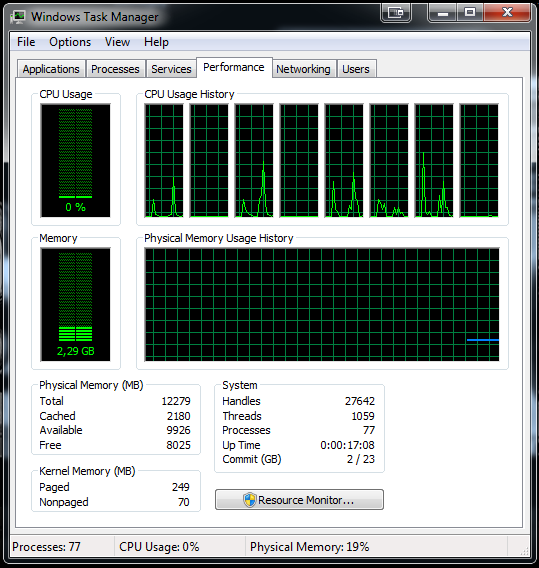
- They will explain that your computer is only working with VERY low resources because the infection is consuming everything. This is completely wrong. What the picture actually shows is that your computer is only using very little resources at the moment.
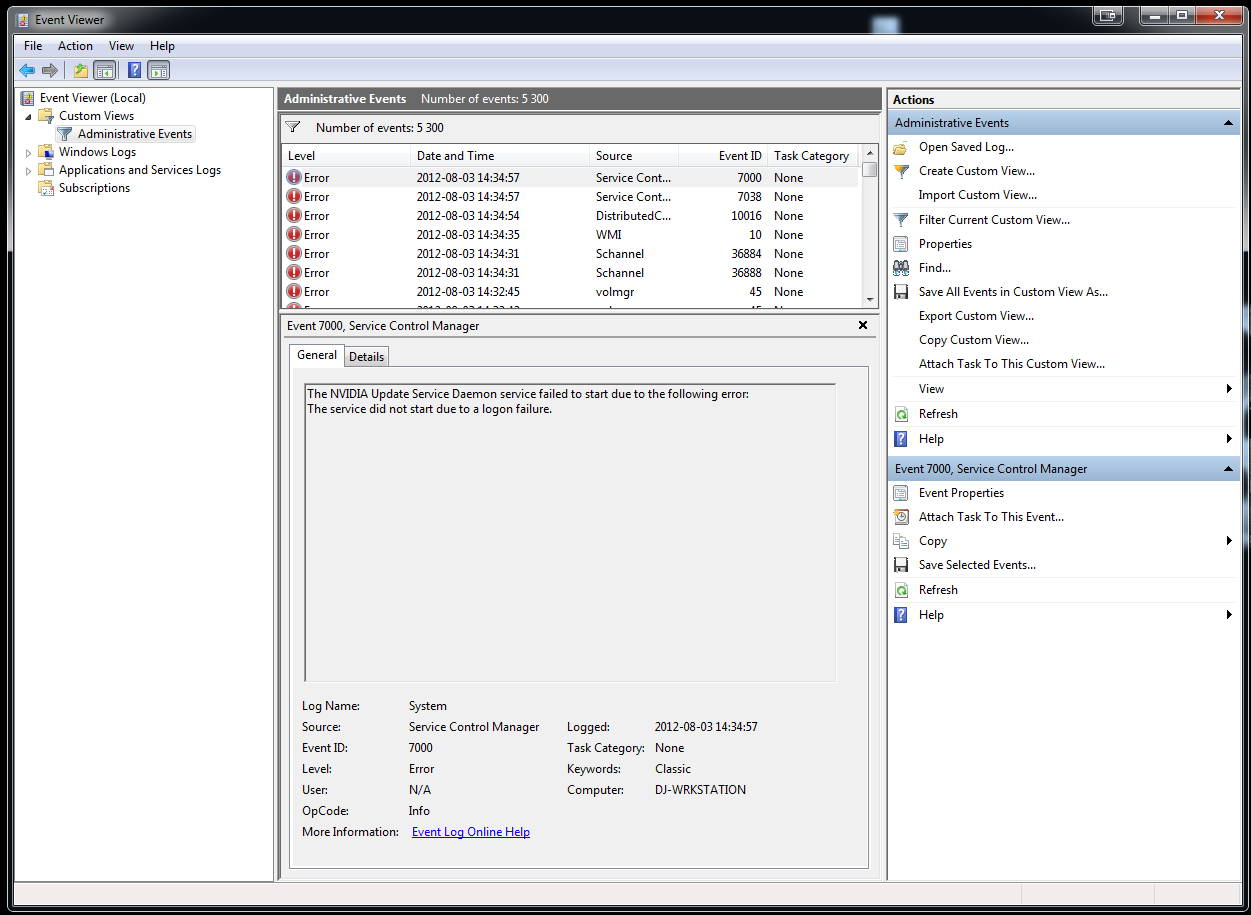
- They will then open up the Event Manager to try to identify errors, warnings and other information that can be used to trick you into thinking that the computer is infected. The event viewer does show error messages, but not directly related to an infection. Almost all computers have errors in the log files, especially if the computer has not been re-installed lately and is running a lot of programs.
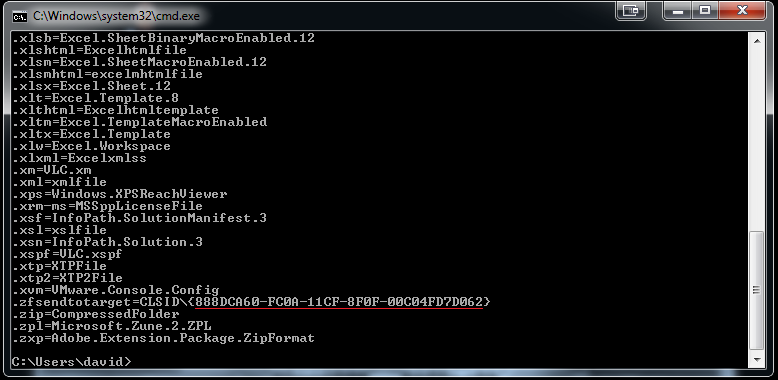
- At this point they are really pushing the idea that the computer is infected, and what needs to be done now is for you to confirm that your computer is actually the computer they have in their reporting system. They will then try to associate your computer with a unique number; a number they call the Consumer License ID, known as the CLSID. But the CLSID is actually a Class identifier. In the picture below you can see which program or CLSID an specific file extension is associated with. They will then ask you to execute the command assoc in a DOS prompt, and then ask you if your Consumer License ID is 888DCA60-FC0A-11CF-8F0F-00C04FD7D062. This is actually the CLSID for the ZFSendToTarget file extension.
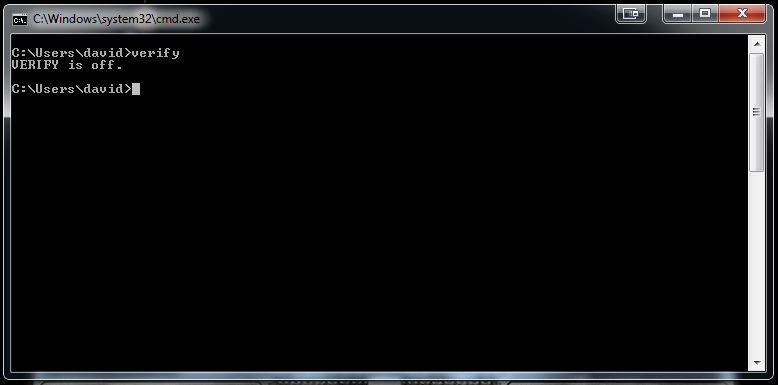
- At this point they have not just tried to convince you that the computer is infected, but also that the computer that they are seeing in their system is actually your computer. They will now ask you to execute yet another DOS command called verify. They state that if the output from the verify command is off it means that your computer license is not verified. This command has absolutely nothing to do with your license, it only allows you to enable/disable operating system verification that data has been written to disc correctly.
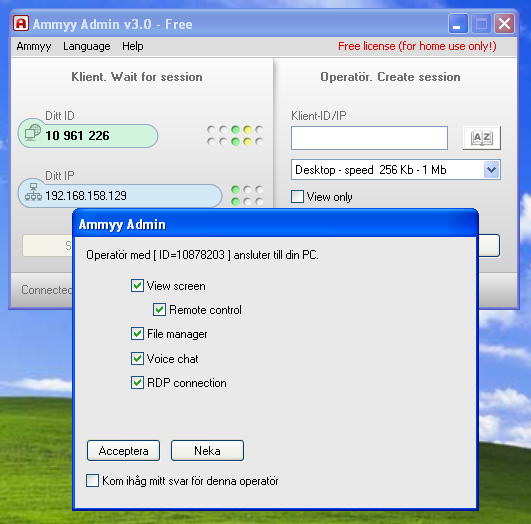
- They use a Remote Administration Software called AMMYY. I had never heard of this software before this incident. It seems pretty straight forward and legit. From a unique ID they can connect to my computer and work with it. I could also see everything that they were doing. An operator with the ID 10878203 connected to my computer, and below is the permissions that he/she requested.
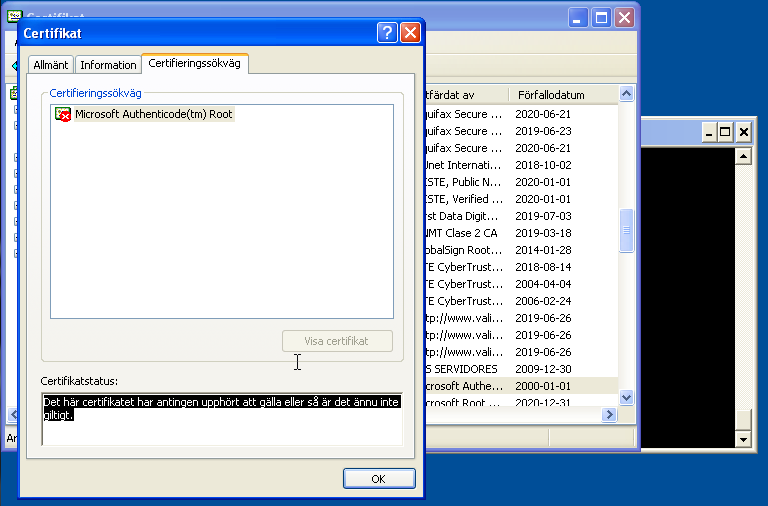
- At this point the administrator connected to my computer and was able to use it. He opened up the Certification Manager and selected an old certificate. I still had the woman on the phone, and she explained that the operator had now found out that my computer had not been updated since 2011 because of this invalid certificate.
- Now things started to get really fishy, they told me that the only solution for this is to activate my system and also to install security software which will protect me against viruses, malware, Trojans, hackers and other things. She asked me on the phone If this is what I wanted to do, and said that if I do want this the operator would fix my computer and also install this software. She said this would only cost me about $250 USD.
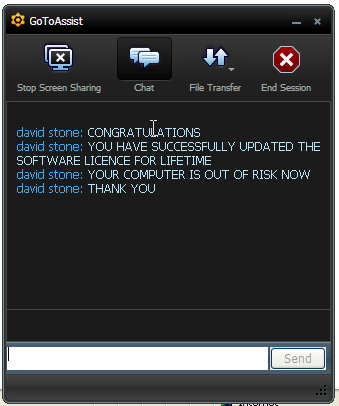
- The operator then installed a program called G2AX_customer_downloader_win32_x86.exe from the website www.fastsupport.com. When this was done a chat popup came up. It was a person with the name David Stone who informed me that my computer was no longer at risk.
- They then told me that since I agreed to getting my software updated, I now have to fill out a form and pay $250. They then opened up a PayPal form. I was able to collect several different PayPal accounts including: [email protected] and [email protected]
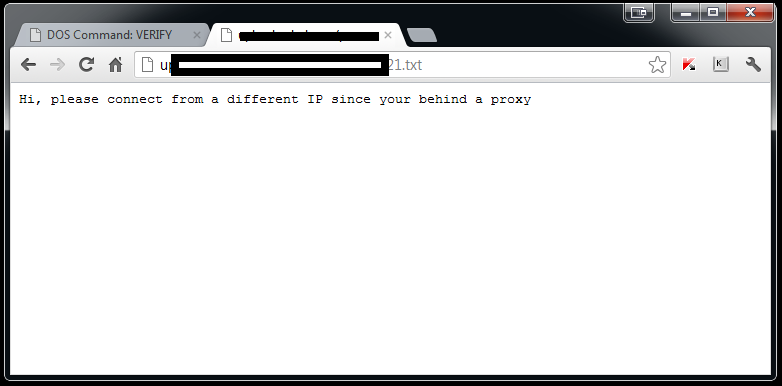
- Since I knew that this was simply a scam I wanted to see if I could get some more information about these people. So I tried several times to enter fake VISA and MasterCard information and also said that I dont have the ability to buy things on the Internet with my card. They got quite frustrated with me at this point. I then asked them to visit a website, which I pretended to be the website of a friend who I know has put his card information on a website.The website is actually only a textfile containing a static text: Hi, please connect from a different IP since your behind a proxy
-
We tried several times from my computer, using different browsers, but then I asked them to check from their site, and to my surprise they actually did. I was looking in my log file and as soon as they connected I got their IP address 🙂
101.xxx.xxx.197 – – [01/Aug/2012:13:44:31 +0200] “GET //.txt HTTP/1.1” 200 413 “-” “Mozilla/5.0 (Windows NT 6.1; WOW64; rv:14.0) Gecko/20100101 Firefox/14.0.1”
- At this point I also just disconnected from the phone several times when we were talking, because I wanted to see which numbers they were calling from. I was able to collect the following numbers: 00441865589771, 008028, 002127773456 and also a hidden number.
At this point the woman I was talking to was screaming OH MY GOD! in my ear, she was super upset that my license was not verified; according to her this meant that no security patches could be installed. She then suggested that the next step was to allow a technician to access the computer and fix all these problems.Of course I allowed the technician to do so – I was running everything in an empty virtual machine 🙂
After collecting all the information, i have now contacted all the appropiate people such as the security team at PayPal, various law enforcement agencies with the hope that we can stop these people. They are stealing alot of money from innocent people. I know that people have been warned about these scams, but my conclusion is that they are still calling people because they are still making money out of these scams.
The software that they were using was not malicious in any way, which means that no security software can detect these types of scams. This is one of the main reasons for this article and others like it – we need to keep informing people about it until the cybercriminals are forced to stop.
Latest Webinars
Reports
Kaspersky researchers have discovered new Mirage Kitten attacks using previously undocumented malware families: NodeRabbit in Node.js and PollCat in JavaScript.
Our experts discovered a new CoolClient backdoor variant with a kernel-mode rootkit driver that hides malicious processes, files, and network connections from security tools and threat analysts.
Kaspersky experts break down a new Armored Likho campaign that poses as a fundraising efforts and delivers a new Still Toolkit aimed at stealing Telegram data and eavesdropping on victims.
Kaspersky researchers reveal previously undocumented malware attributed to Mirage Kitten (UNC1549, Smoke Sandstorm, Nimbus Manticore): NightLedger backdoor, ArcBridge, and BridgeHead tunneling tools.
Text extracted automatically; images, tables and formatting may be missing. Original: https://securelist.com/trying-to-unmask-the-fake-microsoft-support-scammers/33734/