How to close your Yahoo account
Full article118 words · extracted from helpnetsecurity.com · click to collapse
In light of the recent massive Yahoo breach an the fact that Yahoo scanned incoming emails on behalf of US intelligence, many are opting to close their accounts to protect their privacy.
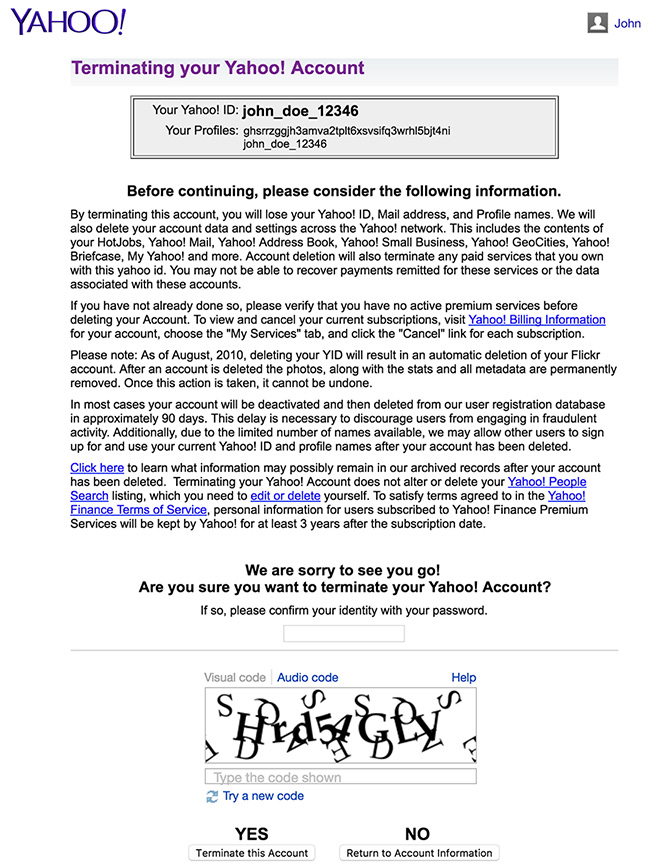
In order to close your Yahoo account, visit this page, login with your credentials, and follow the on-screen instructions. You’ll need to re-enter your password, enter a CAPTCHA, and click on “Terminate this Account”.
Here’s an example of the page in question:
If you did everything correctly, you should receive a confirmation that the account was indeed deleted. It will look like this:

Keep in mind that if you close your account, all your Yahoo services will be shut down along with your personal settings.
Text extracted automatically; images, tables and formatting may be missing. Original: https://www.helpnetsecurity.com/2016/10/05/close-yahoo-account/