Product showcase: SimpleLogin keeps your email address private with aliases
Proton's SimpleLogin forwards mail through aliases so users can hide a primary email address.
SimpleLogin, an open-source email-alias service from Proton, creates forwarding addresses for registrations and correspondence so a primary mailbox stays private. A hands-on test with Gmail confirmed two-way forwarding, alias disable controls, and clients for Chrome, Firefox, Safari, iOS, and Android, plus authenticator 2FA and WebAuthn. The free plan includes 10 aliases and one mailbox; Premium costs $4 per month or $36 per year and adds unlimited aliases, custom domains, multiple mailboxes, and PGP. Proton's policy says it can access metadata such as addresses, subjects, and timestamps, and it scans unencrypted inbound mail for spam and viruses.
- Aliases forward mail to an existing inbox and can be disabled to stop unwanted mail.
- The free plan includes 10 aliases; Premium is $4 monthly or $36 yearly.
- Apps and extensions cover Chrome, Firefox, Safari, iOS, and Android, with 2FA and WebAuthn.
- Proton can access message metadata, and unencrypted mail is scanned for spam and viruses.
Full article374 words · extracted from helpnetsecurity.com · click to collapse
SimpleLogin is an email alias service from Proton that forwards messages to an existing mailbox. Users create addresses for registrations, purchases, and correspondence, giving them control over where their primary email address is shared. The service is open source and supports self-hosting.
Getting started
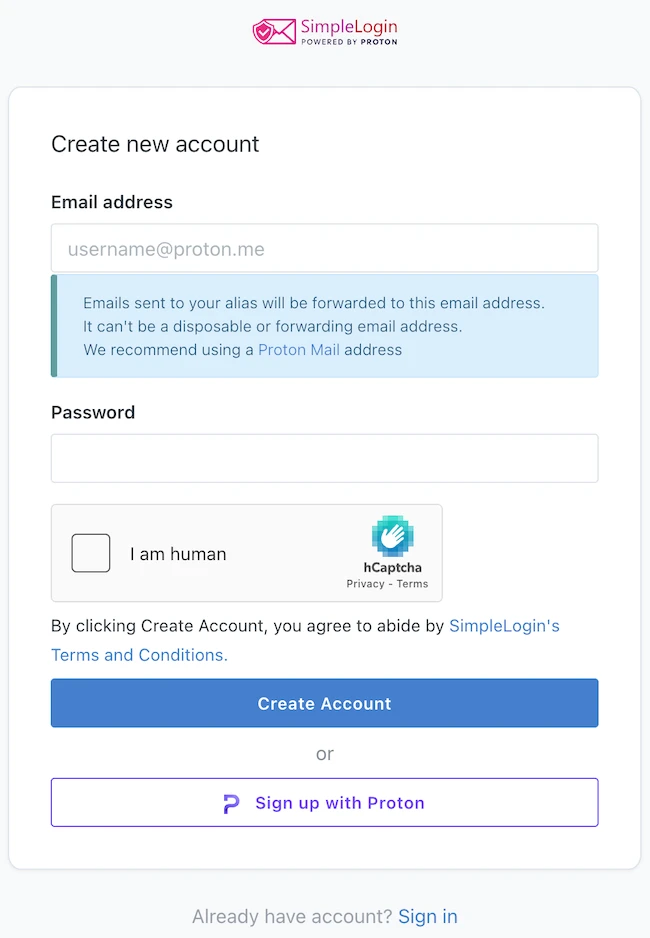
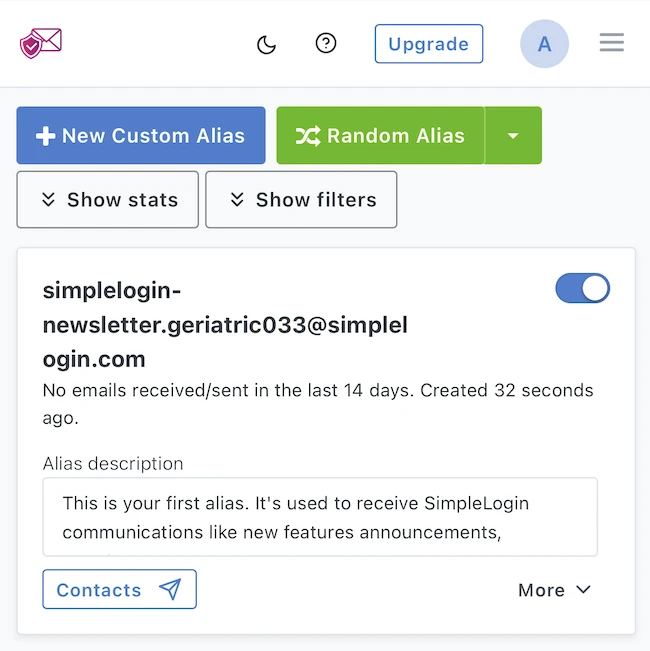
I tried SimpleLogin using a Gmail address. After verification, the dashboard displayed an initial alias for SimpleLogin communications. Its card included an enable/disable toggle, a description field, and access to contacts. Buttons above the list offered custom and random alias creation, with controls for displaying statistics and filters.
Expanding the card revealed forwarding activity, a display-name field, and options to pin, transfer, or delete the alias. During this setup, the activity counter recorded one forwarded message, zero blocked messages, and zero sent messages.
I also tested sending an email from an alias to another email address I own. The message arrived with the alias as the sender, and my reply was forwarded back through SimpleLogin to my connected Gmail inbox. Both directions worked without issues.
Managing incoming mail
Users can assign a separate alias to each website or contact. Messages arrive in the connected inbox, and replies pass through SimpleLogin to preserve the alias address. Disabling an alias stops mail sent to that address, helping users manage unwanted correspondence.
Browser extensions are available for Chrome, Firefox, and Safari, alongside iOS and Android apps. Account protection supports authenticator-based two-factor authentication and WebAuthn security keys.
Privacy and pricing
SimpleLogin handles messages during forwarding. Its privacy policy states that it can access metadata such as sender and recipient addresses, subjects, and timestamps. Incoming unencrypted messages are scanned for spam and viruses.
The free plan includes 10 aliases, one destination mailbox, and replies. Premium costs $4 per month or $36 per year, adding unlimited aliases, custom domains, multiple mailboxes, PGP encryption, and the ability to initiate emails from an alias.
Final thoughts
Using a different alias for each service limits exposure of your main email address in data breaches and makes it harder to link your activity across websites. It also helps identify where unwanted messages originate and stop them by disabling the affected alias. In my test, sending and receiving replies worked without issues, making SimpleLogin a practical addition to my existing inbox.