Show HN: VODForge – a free local desktop UI for YouTube video/playlist downloads
VODForge 0.1.8 is a free, MIT-licensed desktop app wrapping yt-dlp and FFmpeg for local YouTube video and playlist downloads.
VODForge is a Show HN release of a free, open-source (MIT) desktop application for macOS and Windows that downloads YouTube videos and playlists as MP4 (up to 4K) or MP3 (up to 320 kbps). It builds on yt-dlp and FFmpeg, adds queue, metadata, and cover-art controls, requires no account, and ships Developer ID notarized macOS builds and Authenticode-signed Windows installers with published SHA-256 checksums. A separate planned paid "Pro" cloud and mobile service is advertised alongside the free desktop app.
- Uses yt-dlp and FFmpeg locally; currently YouTube-only, with no Linux builds available yet.
- Signed installers (Developer ID/notarized on macOS, Authenticode on Windows) with published SHA-256 checksums.
- Free MIT-licensed desktop app; Pro cloud/mobile tier is a future paid offering.
Full article567 words · extracted from getvodforge.com · click to collapse
Free, open-source YouTube downloader
Video and audio,
forged locally.
Turn YouTube videos and playlists into clean MP4 video or MP3, or preserve Original audio without another lossy encode. Keep quality, queue, and metadata controls in a native desktop app.
MIT licensed. No desktop account. Your downloads stay on your computer.
Developer ID signed and notarized on macOS · Authenticode signed on Windows
Video + audio
MP4, MP3, Original
4K
Up to 4K
Quality ceiling
Playlist queue
Sequential runs
Metadata
Source and output
Cover art
YouTube or custom
Local files
Your chosen folder
Inside VODForge
From pasted link to finished file.
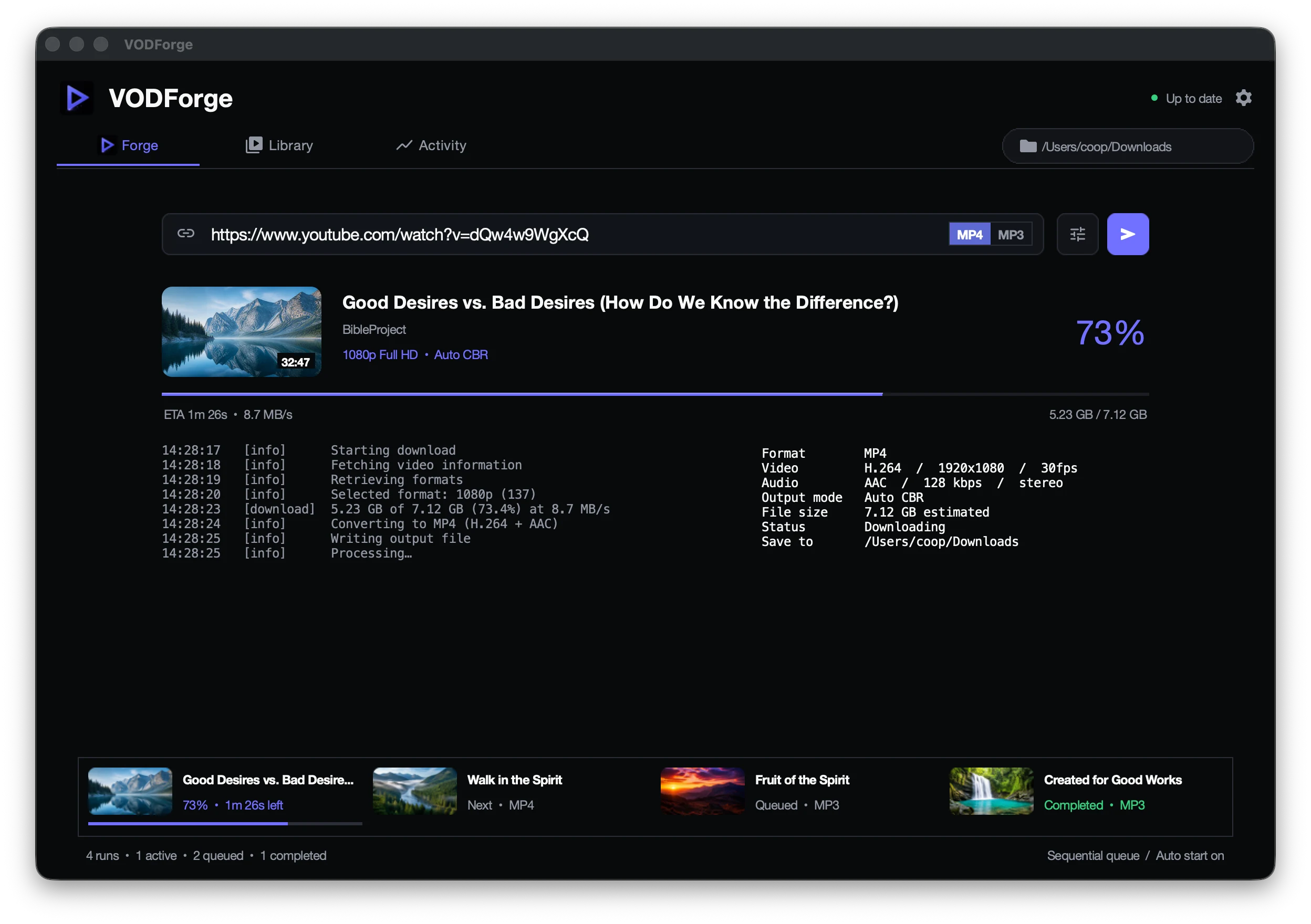
VODForge uses yt-dlp and FFmpeg underneath, then gives you a focused desktop workflow to choose a format, watch every run, and keep a clear record of what came from YouTube and what VODForge created.
01 · MP4 video
High-quality video, handled locally.
Choose up to 4K, control the output profile, and move individual videos or full playlists through a clear sequential queue.
02 · MP4 library
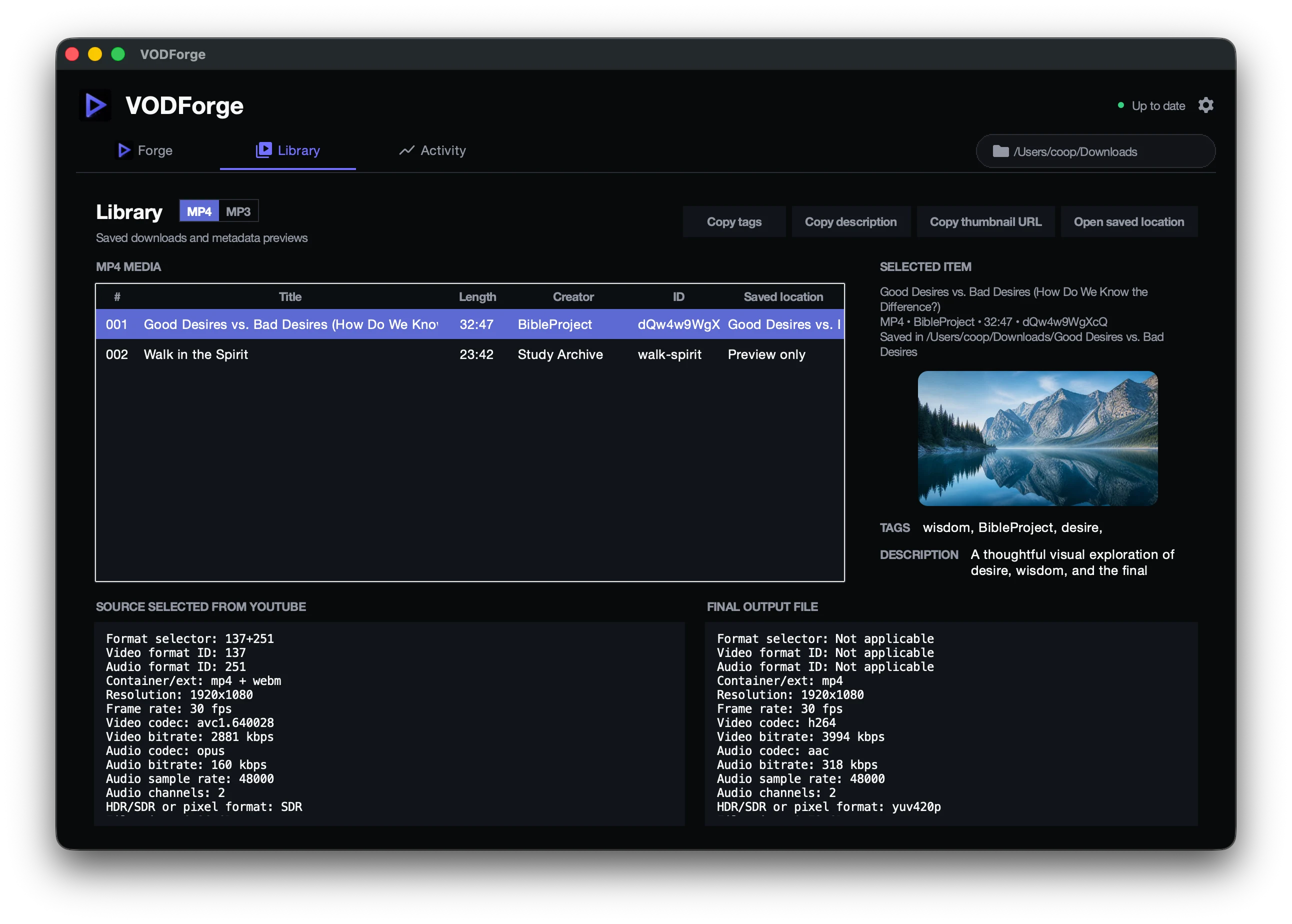
See the source and final file side by side.
VODForge keeps the YouTube source and validated MP4 output together so you can compare codecs, resolution, bitrates, frame rate, audio, size, and saved location without guessing what a converter changed.
03 · MP3 audio
Source-aware audio controls.
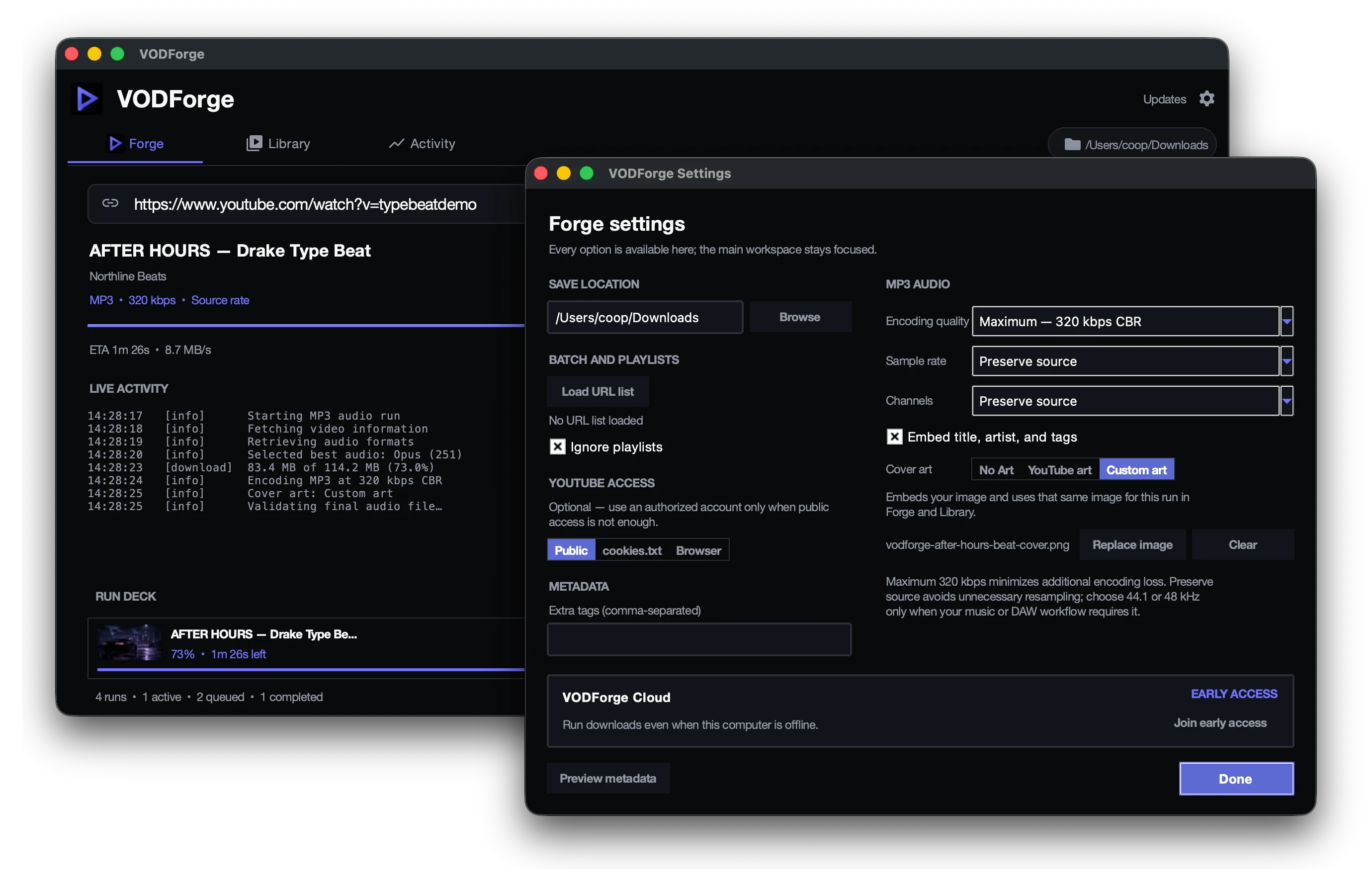
Choose MP3 up to 320 kbps with optional embedded artwork. Prefer the source audio? Original audio preserves the best available supported Opus or AAC stream without re-encoding, saved as .opus or .m4a.
04 · MP3 library
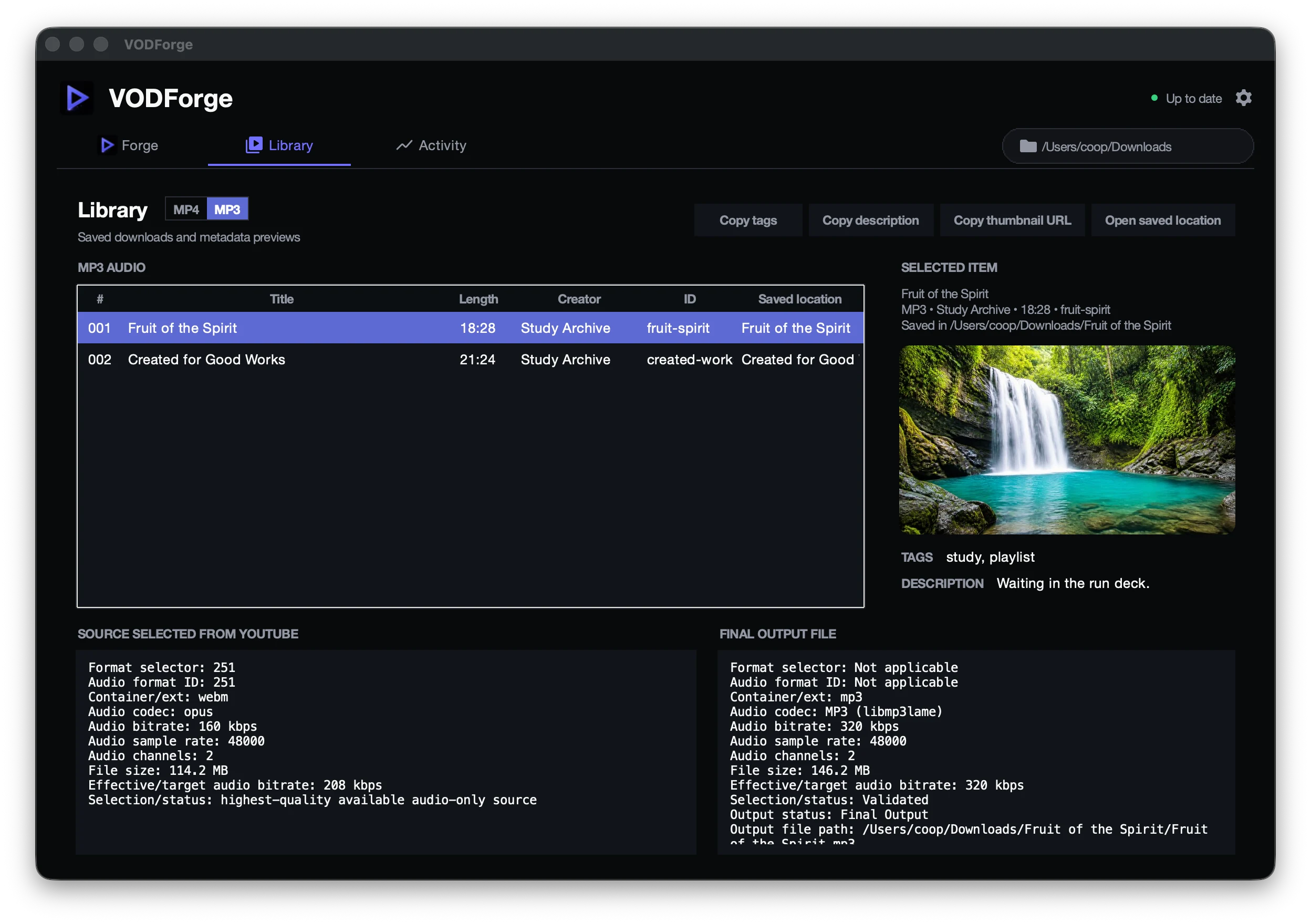
Know what came in and what came out.
Compare source audio with the validated MP3, inspect cover-art and metadata choices, and open the exact saved location.
Downloads
Get VODForge 0.1.9
Choose the build that matches your computer. Files download directly from GitHub Releases.
Apple Silicon Mac
M1, M2, M3, M4, and newer Apple chips. Most Macs from late 2020 onward.
Intel Mac
For Intel-based Macs, typically from 2019 and earlier.
Windows
Signed installer for Windows 10 and Windows 11, 64-bit.
macOS downloads are Developer ID signed and notarized. Windows downloads are Authenticode signed.SHA-256 checksums
Questions, answered plainly
Before you download.
What sites does VODForge support?
VODForge is deliberately focused on YouTube videos and playlists today. It uses yt-dlp and FFmpeg underneath, but it does not expose yt-dlp's full multi-site catalog.
Does VODForge work on Linux?
Not currently. Public builds support macOS 12 or newer and 64-bit Windows 10 or Windows 11.
Is VODForge really free and open source?
Yes. The desktop app is free and released under the MIT License. Its source code is available on GitHub. VODForge Pro is a separate planned paid service; joining its interest list is free.
Is VODForge safe to install?
Public macOS builds are Developer ID signed, notarized, and stapled. Windows installers are Authenticode signed by Kryden Ventures, LLC. SHA-256 checksums are published for every release asset.
Does the desktop app require an account?
No. Downloading and managing files in VODForge requires no account. The app uses one random installation ID for first-launch and Pro-interest measurement. When usage sharing is enabled, it also sends coarse app-open, download-run, conversion, and playback events to VODForge and HeyCatch. These events exclude media URLs, titles, filenames, file paths, and file contents. You can turn future usage sharing off in Settings.
VODForge PRO
Run downloads even when your computer is offline.
Pro is a possible mobile app and paid cloud service. Join the free interest list for pricing and availability updates. The desktop app stays free.
Text extracted automatically; images, tables and formatting may be missing. Original: https://getvodforge.com/