Cisco and Palo Alto patched two actively exploited zero-days enabling root code execution on email and PAN-OS appliances.
Cisco and Palo Alto Networks patched two actively exploited zero-days that can lead to root-level code execution on security appliances, and CISA added both to the KEV catalog. CVE-2026-76519 in Cisco Secure Email Gateway can be exploited remotely without authentication through malicious email attachments. CVE-2026-0322 in the PAN-OS management interface requires network access and valid high-privilege credentials. Both need urgent remediation, but their exposure conditions differ.
CISA added both actively exploited flaws to the KEV catalog.
CVE-2026-76519 allows unauthenticated remote exploitation via email attachments.
CVE-2026-0322 needs network access and valid high-privilege credentials.
Both can lead to root-level code execution on security appliances.
Authenticated root RCE in Palo Alto PAN-OS management
CVE-2026-0322 is a code-injection flaw (CWE-94) in the management interface of Palo Alto Networks PAN-OS that allows remote code execution. An authenticated attacker who can reach the management interface over the network can run arbitrary code with root privileges on the device. It affects PAN-OS on PA-Series and VM-Series firewalls and on Panorama (virtual and M-Series); Cloud NGFW and Prisma Access are not affected. Palo Alto notes that risk is reduced when management access is limited to trusted internal addresses, consistent with its deployment guidance. CISA added the issue to the Known Exploited Vulnerabilities catalog on 2026-10-14, and reporting describes active exploitation including as a zero-day; ransomware use is listed as unknown and no public proof-of-concept is known. CVSS 4.0 is 8.6 (high), with high privileges required but low attack complexity and full impact on the vulnerable system.
Do: Restrict PAN-OS and Panorama management interfaces to trusted internal IP addresses only, and apply Palo Alto Networks patches per vendor guidance and CISA BOD 26-04. Because this is in the CISA KEV catalog with reported active exploitation, review management-plane access logs and host integrity for unexpected root-level activity, and follow CISA forensics triage requirements where the interface was reachable.
8.6
1%
KEV
Palo Alto Networks PAN-OS on PA-Series firewalls
Palo Alto Networks PAN-OS on VM-Series firewalls
Palo Alto Networks Panorama (virtual and M-Series)
largeon the order of 10,000–100,000+ PAN-OS and Panorama installations, with far fewer if management access is limited to trusted networks
Relative Path Traversal to Root RCE in Cisco Secure Email Gateway
CVE-2026-76519 is a critical relative path traversal flaw (CWE-23, CVSS 9.8) in the Advanced Malware Protection feature of Cisco Secure Email Gateway. When the file reputation service is enabled, an unauthenticated remote attacker can send an email with a crafted attachment that the gateway mishandles. A successful attack can write arbitrary files on the underlying operating system and execute commands as root. Cisco Secure Email Gateway deployments that use this AMP/file reputation feature are affected; specific version ranges are not listed in the source data. CISA added the CVE to the Known Exploited Vulnerabilities catalog on 2026-10-14, Cisco has urged customers to patch and check for compromise, and a public proof-of-concept reference exists; ransomware use is listed as unknown.
Do: Apply Cisco's fixes or mitigations for CVE-2026-76519 immediately, and follow CISA BOD 26-04 (including forensics triage). Treat appliances with Advanced Malware Protection or file reputation enabled as potentially compromised: review for unexpected files and root-level command execution, and isolate or discontinue use if a vendor fix is unavailable.
Cisco and Palo Alto Networks have patched two actively exploited zero-day vulnerabilities that can lead to root-level code execution on security appliances. CISA has flagged both vulnerabilities as known exploited flaws, adding them to its Known Exploited Vulnerabilities (KEV) catalog.
CVE-2026-76519 affects Cisco Secure Email Gateway and can be exploited remotely without authentication through malicious email attachments. CVE-2026-0322 affects the PAN-OS management interface and requires network access plus valid high-privilege credentials.
Both flaws require urgent remediation, but their attack paths and exposure conditions differ significantly.
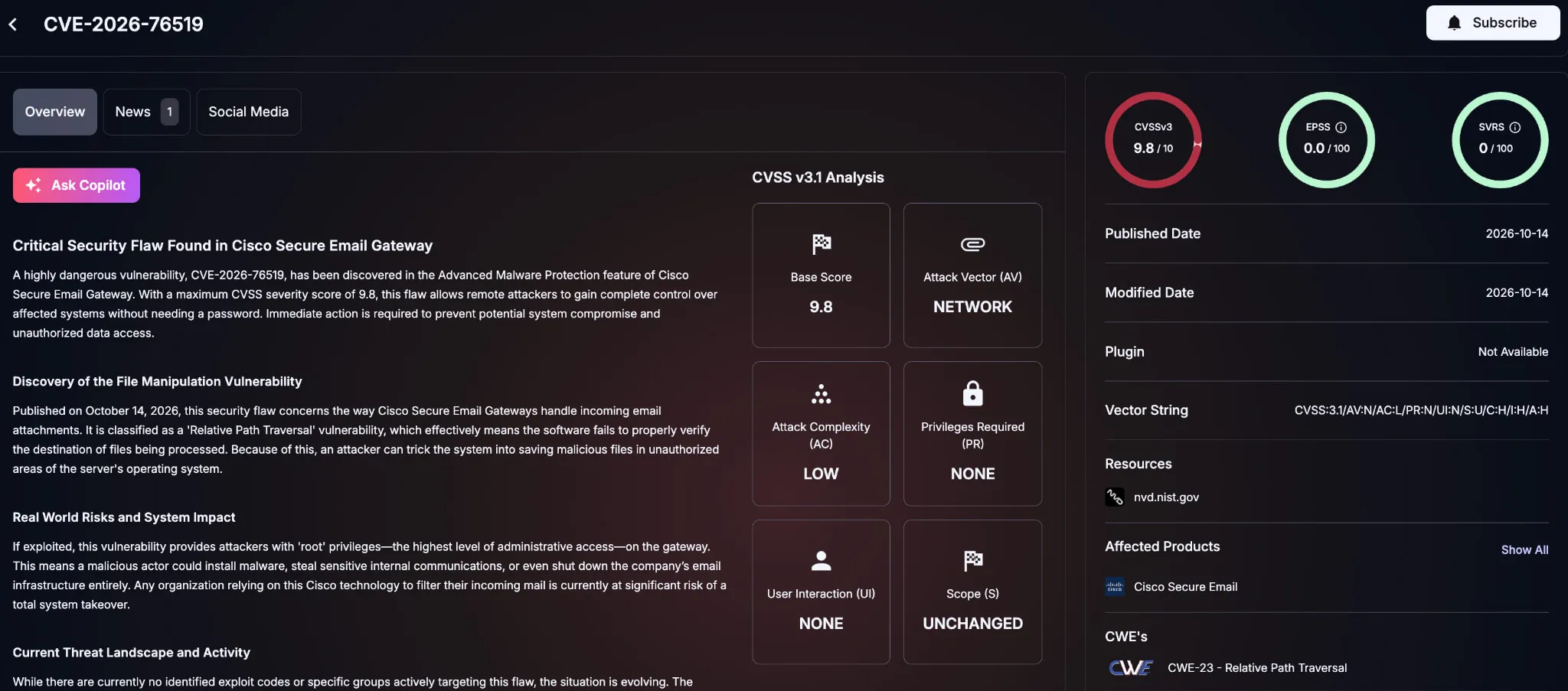
CVE-2026-76519 is a relative path traversal vulnerability (CWE-23) in the Advanced Malware Protection (AMP) File Reputation attachment-processing path. Cisco rates it Critical with a CVSS 3.1 score of 9.8.
According to Cisco’s CVE-2026-76519 security advisory, an unauthenticated attacker can send a crafted attachment through an affected gateway, write arbitrary files to the underlying operating system, and execute commands with root privileges.
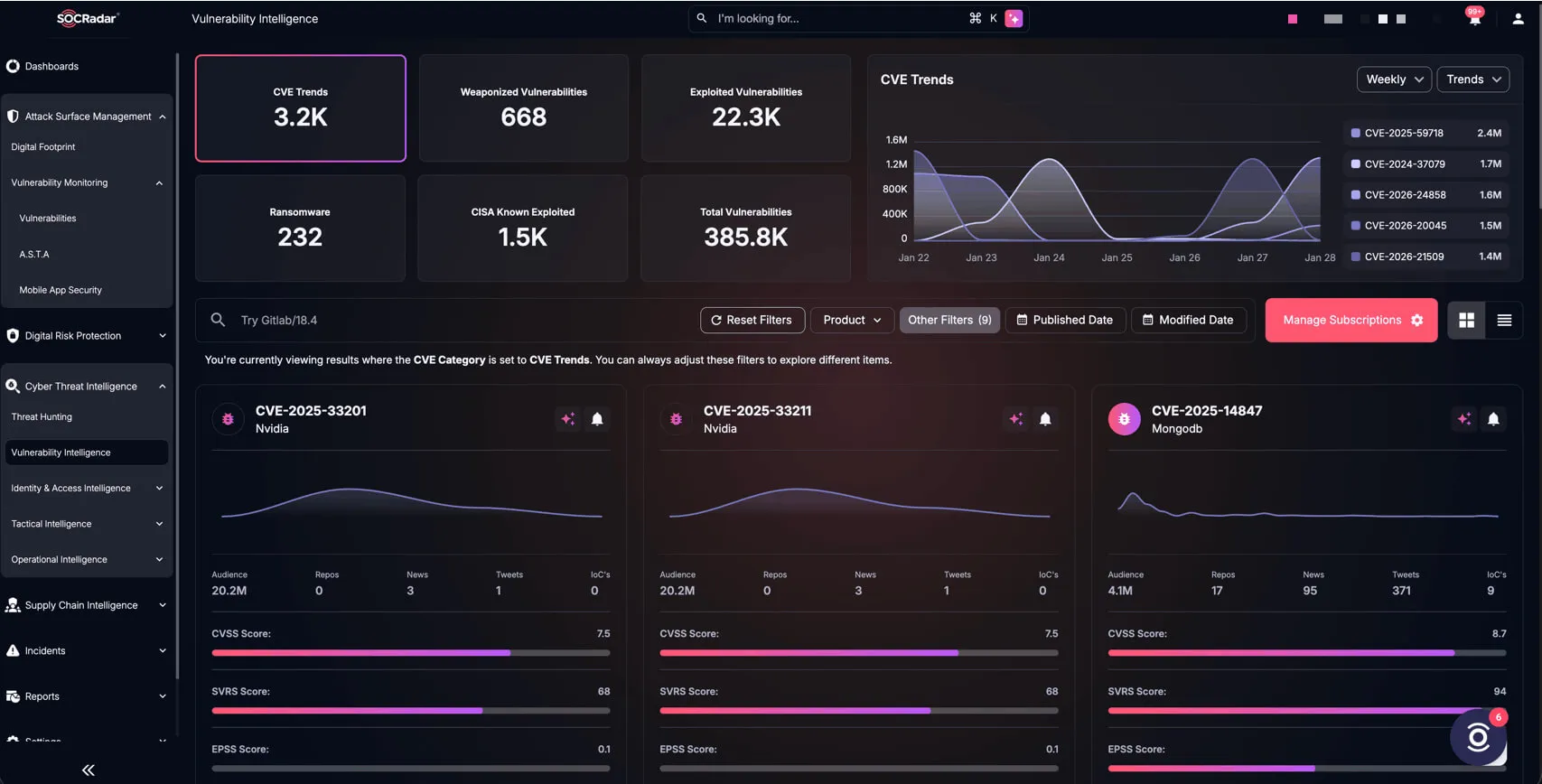
SOCRadar Vulnerability Intelligence card for CVE-2026-76519
A Secure Email Gateway is vulnerable when:
AMP File Reputation is enabled for an incoming or outgoing mail policy.
Content Scanner Tools is earlier than 25.3.0.5525.
AsyncOS
Fixed Release
15.5
15.5.5-014
16.0
Migrate to a fixed release
16.5
16.5.0-780
Updating Content Scanner Tools to 25.3.0.5525 or later also fixes the issue without requiring a restart. Administrators can verify the package with contentscannerstatus.
Secure Email and Web Manager and Secure Web Appliance are not affected. Cisco Secure Email Cloud already has the corrected package deployed.
Cisco also warns that root compromise may expose private SSH keys used between cluster members, potentially putting other Secure Email Gateway appliances in the same cluster at risk.
CVE-2026-0322: Palo Alto PAN-OS Zero-Day
CVE-2026-0322 is a code injection vulnerability (CWE-94) in the PAN-OS management interface.
Palo Alto Networks’ CVE-2026-0322 advisory states that an authenticated attacker with management-interface access and sufficiently high privileges can execute arbitrary code with root privileges.
Palo Alto Networks rates the flaw High with a CVSS 4.0 score of 8.6 and labels its exploit maturity ATTACKED.
PAN-OS Branch
Fixed Release
12.2
12.2.4+
12.1
Applicable 12.1 fixed hotfix
11.2
Applicable 11.2 fixed hotfix
11.1
Applicable 11.1 fixed hotfix
10.2
Applicable 10.2 fixed hotfix
Unsupported releases should move to a supported fixed branch. Cloud NGFW and Prisma Access are not affected.
Palo Alto Networks reported very limited exploitation and associated activity with:
66.42.72[.]14
208.83.239[.]114
149.248.47[.]234
These addresses are hunting leads, not proof that every connection represents successful exploitation.
How Do the Two Zero-Days Differ?
The Cisco vulnerability is unauthenticated and email-delivered when vulnerable File Reputation processing is enabled.
The PAN-OS flaw requires high-privilege credentials and access to the management interface. This reduces opportunistic exposure but remains serious where administrative credentials have been stolen or management interfaces are externally reachable.
Both can ultimately provide root-level execution on infrastructure responsible for email or network security.
Covered U.S. federal agencies must remediate both vulnerabilities by October 17, 2026. The short deadline reflects the confirmed exploitation and potential impact of compromise.
Organizations outside the federal government should also treat KEV inclusion as a strong prioritization signal.
Track the Exploited Zero-Days with SOCRadar
Because both vulnerabilities are already being exploited, remediation should focus first on which affected security appliances are exposed and still vulnerable.
SOCRadar’s **Cyber Threat Intelligence**module can help teams follow CVE-2026-76519 and CVE-2026-0322 for exploitation updates, CISA KEV status, indicators, and remediation changes. Vulnerability Intelligence adds technical and risk context as new information emerges.
Combined with Attack Surface Management, organizations can identify externally exposed Cisco Secure Email Gateway and PAN-OS assets and prioritize systems where vulnerable software, risky configurations, and network exposure overlap.
SOCRadar’s Vulnerability Intelligence
What Should Defenders Do?
For Cisco Secure Email Gateway, update Content Scanner Tools to 25.3.0.5525 or later or install the applicable fixed AsyncOS release. Cisco states that no workaround addresses the vulnerability.
Review system_logs for System Security messages and correlate them with external firewall and network telemetry. If one cluster member is compromised, Cisco recommends restoring every cluster member because shared SSH keys may have been exposed.
For PAN-OS, install the appropriate fixed release and restrict management interface access to trusted internal IP addresses, preferably through a controlled jump box.
Threat Prevention customers can use Threat IDs 510046 and 510047 for limited coverage, but Palo Alto Networks states that this does not replace upgrading.
For both zero-days, review historical authentication, configuration, network, and administrative activity from the pre-patch exposure period rather than assuming that installing the update proves the appliance was never compromised.
PROTECTION OF PERSONAL DATA****COOKIE POLICY FOR THE INTERNET SITE
Protecting your personal data is one of the core principles of our organization, SOCRadar, which operates the internet site (www.socradar.com). This Cookie Usage Policy (“Policy”) explains the types of cookies used and the conditions under which they are used to all website visitors and users.
Cookies are small text files stored on your computer or mobile device by the websites you visit.
Cookies are commonly used to provide you with a personalized experience while using a website, enhance the services offered, and improve your overall browsing experience, contributing to ease of use while navigating a website. If you prefer not to use cookies, you can delete or block them through your browser settings. However, please be aware that this may affect your usage of our website. Unless you change your cookie settings in your browser, we will assume that you accept the use of cookies on this site.
1. WHAT KIND OF DATA IS PROCESSED IN COOKIES?
Cookies on websites collect data related to your browsing and usage preferences on the device you use to visit the site, depending on their type. This data includes information about the pages you access, the services and products you explore, your preferred language choice, and other preferences.
2. WHAT ARE COOKIES AND WHAT ARE THEIR PURPOSES?
Cookies are small text files stored on your device or web server by the websites you visit through your browsers. These small text files, containing your preferred language and other settings, help us remember your preferences on your next visit and assist us in making improvements to our services to enhance your experience on the site. This way, you can have a better and more personalized user experience on your next visit.
The main purposes of using cookies on our Internet Site are as follows:
Improve the functionality and performance of the website to enhance the services provided to you,
Enhance and introduce new features to the Internet Site and customize the provided features based on your preferences,
Ensure legal and commercial security for the Internet Site, yourself, and the Organization, and prevent fraudulent transactions through the Site,
Fulfill legal and contractual obligations, including those arising from Law No. 5651 on the Regulation of Publications on the Internet and the Fight Against Crimes Committed Through These Publications, as well as the Regulation on the Procedures and Principles Regarding the Regulation of Publications on the Internet.
3. TYPES OF COOKIES USED ON OUR INTERNET SITE****3.1. Session Cookies
Session cookies ensure the smooth operation of the internet site during your visit. They are used for purposes such as ensuring the security and continuity of our sites and your visits. Session cookies are temporary cookies and are deleted when you close your browser; they are not permanent.
3.2. Persistent Cookies
These cookies are used to remember your preferences and are stored on your device through browsers. Persistent cookies remain stored on your device even after you close your browser or restart your computer. These cookies are stored in your browser’s subfolders until deleted from your browser’s settings. Some types of persistent cookies can be used to provide personalized recommendations based on your usage purposes.
With persistent cookies, when you revisit our website with the same device, the website checks if a cookie created by our website exists on your device. If so, it is understood that you have visited the site before, and the content to be presented to you is determined accordingly, offering you a better service.
3.3. Mandatory/Technical Cookies
Mandatory cookies are essential for the proper functioning of the visited internet site. The purpose of these cookies is to provide necessary services by ensuring the operation of the site. For example, they allow access to secure sections of the internet site, use of its features, and navigation.
3.4. Analytical Cookies
These cookies gather information about how the website is used, the frequency and number of visits, and show how visitors navigate to the site. The purpose of using these cookies is to improve the operation of the site, increase its performance, and determine general trend directions. They do not contain data that can identify visitors. For example, they show the number of error messages displayed or the most visited pages.
3.5. Functional Cookies
Functional cookies remember the choices made by visitors within the site and recall them during the next visit. The purpose of these cookies is to provide ease of use to visitors. For example, they prevent the need to re-enter the user’s password on each page visited by the site user.
3.6. Targeting/Advertising Cookies
They measure the effectiveness of advertisements shown to visitors and calculate how many times ads are displayed. The purpose of these cookies is to present personalized advertisements to visitors based on their interests.
Similarly, they determine the specific interests of visitors’ navigation and present appropriate content. For example, they prevent the same advertisement from being shown again to the visitor in a short period.
4. HOW TO MANAGE COOKIE PREFERENCES?
To change your preferences regarding the use of cookies, block or delete cookies, you only need to change your browser settings.
Many browsers offer options to accept or reject cookies, only accept certain types of cookies, or receive notifications from the browser when a website requests to store cookies on your device.
Also, it is possible to delete previously saved cookies from your browser.
If you disable or reject cookies, you may need to manually adjust some preferences, and certain features and services on the website may not work properly as we will not be able to recognize and associate with your account. You can change your browser settings by clicking on the relevant link from the table below.
5. EFFECTIVE DATE OF THE INTERNET SITE PRIVACY POLICY
The Internet Site Privacy Policy is dated The effective date of the Policy will be updated if the entire Policy or specific sections are renewed. The Privacy Policy is published on the Organization’s website (www.socradar.com) and made accessible to relevant individuals upon request.
SOCRadar
Address: 651 N Broad St, Suite 205 Middletown, DE 19709 USA
Phone: +1 (571) 249-4598
Email: info@socradar.io
Website: www.socradar.com


 Extended Threat Intelligence Threat intelligence enriched with External Attack Surface Management, Brand Protection, and Dark Web Radar. Explore XTIAgentic Threat Intelligence Stay ahead of cybercriminals with AI agents that autonomously think, adapt, and act. Explore ATI Advanced Dark Web Monitoring
 Dark Web Report