RemoveMacAI turns off Apple Intelligence on macOS 27 and deletes its models
RemoveMacAI disables Apple Intelligence on macOS 27 and deletes about 12 GB of on-device models.
RemoveMacAI is a free MIT-licensed command-line tool that disables Apple Intelligence on macOS 27 and deletes about 12 GB of on-device models that remain after features are turned off. It requires Apple silicon, shows a dry-run option, and asks the user to approve a configuration profile that applies Apple's own restriction keys. System Integrity Protection stays on and files under /System are not modified; removed model downloads are pointed at a closed local port so they fail. Disabled features include Siri, Writing Tools, Genmoji, Image Playground, the ChatGPT extension, and several summaries and predictions, while dictation and its speech models remain.
- Free CLI for Apple silicon deletes about 12 GB of models.
- Applies Apple restriction keys via a user-approved configuration profile.
- Redirects model downloads to a closed port so fetches fail.
- Siri, Writing Tools, Image Playground, and the ChatGPT extension are disabled.
- Dictation stays; a revert command restores settings and downloads.
Full article382 words · extracted from helpnetsecurity.com · click to collapse
A developer has released RemoveMacAI, a free command-line tool that turns off Apple Intelligence on macOS 27 and deletes about 12 GB of downloaded AI models. It requires a Mac with Apple silicon.
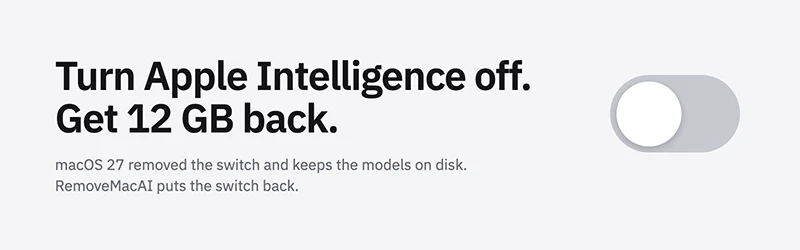
macOS 27 doesn’t have a switch for Apple Intelligence, and the models stay on disk after you disable the features. If that matches your machine, you are holding 12 GB for software you switched off. The tool also stops macOS from downloading the models again.
How it works
You run one command, either through a curl installer or Homebrew. The tool shows what is currently on, asks you to confirm, and opens System Settings so you can approve a configuration profile. macOS requires you to approve that step yourself.
The profile applies Apple’s own restriction keys and sends each removed model’s download to a closed local port, so the fetch fails. The models come out through Apple’s asset service. System Integrity Protection, the macOS safeguard on system files, stays enabled, and no files under /System are modified directly. A dry-run mode shows the changes without applying them, and a flag lets you keep specific features.
What it turns off
The list covers Siri, including “Hey Siri” and the menu bar icon, plus Writing Tools, Genmoji, Image Playground and the ChatGPT extension. It also switches off summaries in Mail, Messages, Safari, Notes and notifications, along with Mail smart replies, inline text predictions, Spatial Photos, Photos Clean Up and Xcode code completion.
What stops working
Apps that call Apple’s on-device models through the Foundation Models framework lose that ability, as does the Use Model action in Shortcuts. Visual Intelligence and natural-language editing in Calendar go too. Dictation keeps working, because it is a separate setting and its speech models stay.
A process named Siri will still show up in your process list. In macOS 27 the Spotlight window runs under that name.
If you change your mind, one revert command restores the previous settings. macOS downloads the models again when a feature needs them.
The developer says the tool makes no network requests and collects no data, and the code is MIT-licensed, so you can read it before you run a script piped from curl. You can download RemoveMacAI on GitHub.

Download: The IT leader’s guide to AI code sprawl