Show HN: Parrot – Open-Source Smart Meeting Recorder with Co-Pilot on Mac
Parrot 0.24.2 is an open-source Mac meeting recorder that suggests answers from local documents during calls.
Parrot 0.24.2 is a free, open-source macOS meeting recorder and live copilot for Apple Silicon on macOS 14 or later. It detects calls, transcribes audio locally, and suggests answers from documents stored on the Mac without joining as a meeting participant. Users can run models through Ollama or connect Claude, OpenAI, Gemini, Groq, OpenRouter, or LM Studio; cloud transcription is optional. Speaker detection uses a local 13 MB model, and call profiles generate post-call reports.
- Open-source GPL-3.0 Mac app, version 0.24.2, with no account or telemetry
- Records system audio locally and does not join the meeting as a bot
- Answers from on-device documents using Apple models or optional cloud LLMs
- Supports Ollama, Claude, OpenAI, Gemini, Groq, and local Whisper transcription
Full article3,159 words · extracted from openparrot.app · click to collapse
New in 0.24.2it notices when your call is in another language
AI meeting recorder and live copilot for MacHelp during the call.
Not after it.
Parrot is a meeting recorder for your Mac with a live copilot built in. It notices when a call starts, suggests answers from your own documents while you're still talking, and remembers every call so you can ask about it later. The audio stays on your Mac. Free and open source.

Type a line or two before you hit record, and the copilot knows who you're talking to. Your documents are already in play.
No bot joins your meeting
Parrot records what your Mac already plays and hears. Nothing shows up in the participant list.
Audio stays on your Mac
Transcription, speaker detection and your documents run on your own machine. Cloud transcription happens only if you switch it on.
Works with anything that makes sound
Google Meet, Zoom, Teams, a phone on speaker. If your Mac can hear it, Parrot can. When a call app starts, it asks whether to record.
- Open source, GPL-3.0
- No account
- No telemetry
- Auto-detects your language
- Signed and notarized
- macOS 14+, Apple Silicon
Knowledge base
Brief it like a new teammate.
Drop in your pricing sheet, your FAQ, your playbook. Parrot reads them on your Mac and answers from them on the call.
Drop in a PDF, a text file, or markdown.
Answer from my documents
Your documents stay here
PDF, text or markdown, in most languages. They're chunked and embedded on this Mac with Apple's own language models. Nothing is uploaded, ever. An English question can even find the answer in a Turkish or Spanish document.
It says where an answer came from
Every card names its source: your document, or the words general knowledge. You decide whether it may answer beyond your files at all.
Coaching instructions and a pre-call brief
Standing guidance for every call, like keep answers short and always offer three price options. And one line before you hit record, so the copilot knows who you're talking to from the first second. Meeting the same people again? It starts with what's still open from last time.
Profiles
One app, every kind of call.
Tell Parrot what kind of call it is. The profile decides what the copilot watches for while you talk, and how the report is written after. Use one of seven, or make your own.
Sales discovery watches for objections and buying signals, and asks what you forgot to.
Profile
Live, it changes what the copilot watches for
Each profile has its own card types and gauges. Sales looks for objections and buying signals. An interview looks for red flags and strong answers.
After, it changes how the report is written
The report is written about the prospect, the candidate or the customer, and follows the profile's own rules.
Make your own
Start from one of seven built-ins or from scratch. Name it, say who the other side is, write your rules, pick its documents, add card types and gauges.
Picked by your calendar
Connect your calendar and an event called Interview: Jane picks your Interview profile. Set a profile to on-device only, and nothing about those calls leaves your Mac.
The brain
You pick the brain.
Run the AI on your Mac with Ollama, or bring a key for Claude, OpenAI, Gemini and more. Each choice says exactly what it sends.
CopilotClaudeOllamaOpenAIGeminiGroqOpenRouterLM Studio
TranscriptionWhisper on your MacGroqDeepgram
Doc answers in a secondTypeSafe AINew
Claude writes the sharpest cards. Add a TypeSafe key and the right line from your documents lands within a second.
Copilot
Transcription
Pause
One button on the call screen. While paused nothing is sent and nothing is spent.
Pace
Relaxed fits free tiers. Fast is for calls where every second counts. You also choose how much of the conversation each request carries.
Ask Parrot picks its own brain
It answers with your reports AI by default. Pick Ollama for it instead, in Settings under Copilot, to keep it free and on your Mac.
Your language, too
Parrot hears the call in its own language and writes back in it.
- Auto-detects the language, or pin one in Settings. For anything but English, pick Large V3 Turbo or Groq. If a call turns out to be in another language, Parrot spots it in the first seconds and offers a one-click switch.
- Written in the language of the call. Claude handles the most languages well.
- All of the languages above. Ask in English and it still finds the answer in a Turkish or Spanish document.
Transcription
Copilot and report
Your documents
- HelloEnglish
- MerhabaTurkish
- HolaSpanish
- BonjourFrench
- HalloGerman
- CiaoItalian
- OláPortuguese
- HoiDutch
- ПриветRussian
- مرحباArabic
- नमस्तेHindi
- 你好Chinese
- こんにちはJapanese
- 안녕하세요Korean
- and dozens more, auto-detected
Speaker names
Names, not Speaker 2.
Speaker detection that runs on your Mac. Parrot tells the voices on a call apart, asks you who they were, and knows them next time.
After the call, Parrot has told the voices apart. It asks who they were.
Name Speaker 1 yourself
Told apart on your Mac
Speaker detection runs after the call with a 13 MB model. No audio goes anywhere to do it.
Name a voice once
Every line from that voice is renamed. One line in the wrong place? Move it from the line's right-click menu.
Sounds like Jeremy?
Turn on Remember voices and Parrot keeps a voiceprint on this Mac. Next call it suggests who's talking, and you confirm with one click. With your calendar connected, the people on the invite are one-click names too.
After the call
The report writes itself. Then it coaches you.
A meeting summary, action items and coaching, ready before you've hung up, with every point linked to the line it came from. Point at a section to see what it's for.
Northwind renewal
41 minSales discovery
Post-call report
Northwind is ready to move. Data residency and SSO are settled, and ten seats were quoted at $79 a seat on the annual plan.
Pain points
- Legal won't sign until customer data is confirmed to stay in the EU.
- Budget sign-off sits with someone who wasn't on the call.
Talk balance
You 48%Them 52%
Your words against theirs, counted from the transcript. On a discovery call you want them doing most of the talking, and the coaching tells you when you didn't.
Objections & questions
- Where is our customer data stored? 00:38Handled
- What does the annual plan cost for ten seats? 01:10Handled
- Can we start with one team as a pilot? 38:10Missed
What went well
- Answered the data question in one breath, straight from the FAQ.
What to improve
- Jeremy asked about a pilot at 38:10 and you moved on to pricing. Answer it in the follow-up.
- Ask who signs off on budget before you wrap up.
Commitments & follow-ups
- You: send the security summary and the DPA today.
- Jeremy: confirm who signs off on budget.
Works with Claude
Your meetings, in Claude.
Ask the AI you already use about your calls. It's free, there's no meeting bot, and your own plan does the thinking.
Your AI app
What did I promise Northwind last week?
You made two promises to Northwind:
- Send the security summary and the DPA. 12:34
- Book the pilot kickoff with Jeremy. 41:07
Opens Parrot at that moment
Ask about your meetings
Connect in one click
Claude Desktop and Cursor connect with one click. Claude Code and Codex get a ready-made command. Find it under Claude & AI Apps in the sidebar.
Ask the AI you already use
"What did I promise last week?" "Brief me for my call with Acme." "Draft the follow-up." It gets real speaker names, promises with who owns them, and ready-made actions: weekly digest, follow-up email, prep for a call.
Off until you turn it on
It's read-only, and you choose what it sees. When you ask, the parts it reads go to that app's company under your account: Anthropic, OpenAI or Cursor's AI provider. That makes it a different mode from fully on your Mac. On-device-only meetings, audio and keys are never shown.
Everything else
And the everyday stuff, done right.
The small things a call recorder should just do, so you never think about them.
Never loses a call
If Parrot crashes or gets force-quit mid-call, the recording comes back on next launch with its transcript and report.
Your mic, sorted
Echo cancellation keeps the call out of your mic on speakers. AirPods die mid-call? The mic reconnects by itself.
Names spelled right
Add your product, client and team names to a custom vocabulary and Whisper gets them right.
Notes on the side
Type notes during the call or after it. They're kept with the meeting and go out with the export.
Sends it where you work
Notes to your Obsidian vault, next steps to Reminders, a follow-up email draft, a webhook for Zapier or Make. All off until you switch them on.
One key away
⌘R to start, ⌘-period to stop, ⌘K to ask about past calls. ⌃⌥M marks a moment mid-call, even with Zoom in front.
Exact counts, no AI
"How many meetings last week?", "My 5 longest meetings", "Did I meet with Northwind?": Ask Parrot counts them on your Mac, exactly, with no AI.
Updates itself
Signed updates download in the background and install when you quit. Never during a call.
Bug reports in two clicks
The ladybug in the corner fills in your version and settings, then opens a GitHub issue for you to check.
Privacy
What leaves your Mac.
Two ways to run Parrot. You pick, you can mix them, and you can switch anytime.
Free · works offline
Fully on your Mac
Whisper transcribes, Ollama runs the copilot and the reports. After a one-time model download, nothing leaves your Mac and the Wi-Fi can be off.
Sharper · a few cents an hour
With your own keys
Claude, OpenAI, Gemini, Groq, Deepgram, TypeSafe. Requests go straight from your Mac to the provider you picked, on your own account. No Parrot server in between.
Most people mix: transcription on the Mac, live cards from Claude. Every setting says exactly what it sends.
Fully on your MacWith your own keys
Audio
Fully on your Mac
Never.
With your own keys
Only if you pick Groq or Deepgram for transcription. Otherwise it stays on your Mac.
Transcript text
Fully on your Mac
Never.
With your own keys
To the copilot you picked, Claude or your own server, while the copilot is on. With a TypeSafe key, the latest question and a few lines around it also go to TypeSafe. Pause stops it all.
Your documents
Fully on your Mac
Never. Indexed with Apple's own language framework.
With your own keys
Only the passages that match, sent with the question so the answer can quote them, and to TypeSafe if you added its key. The files themselves are never uploaded.
Past meetings
Fully on your Mac
Never. Ask Parrot searches them on this Mac.
With your own keys
A few matching excerpts, and this chat's recent messages, to write an Ask Parrot answer. On-device-only meetings stay out of both, even in earlier answers that used them. Never whole meetings, never audio.
Claude and other AI apps
Fully on your Mac
Never. Off until you turn it on.
With your own keys
Only if you turn it on: when you ask, the parts of your meetings the app reads, only what you share, go to that app's company. On-device-only meetings, audio and keys never do.
Your calendar
Fully on your Mac
Never. Read on this Mac, never changed.
With your own keys
Only if you let the copilot read the invite: title, guests and notes. Off by default.
API keys
Fully on your Mac
None needed.
With your own keys
In your Mac's Keychain. Each key goes only to its own provider.
Parrot's servers
Fully on your Mac
There are none.
With your own keys
Still none. Nothing passes through us. There is no us.
Your controls
Every meeting says what left this Mac and where. Make one profile on-device only. Hide emails, phone and card numbers from cloud AI. Let old audio delete itself.
Connections
A notes folder, Reminders, a webhook, AI apps like Claude Desktop. All off until you turn them on, and on-device-only meetings are never sent.
Updates
One check a day to Parrot's update feed on GitHub, so you hear about fixes. It carries the app's version number and nothing about you.
Language models
For documents in Arabic, Indian scripts and sometimes Cyrillic, macOS downloads a language model from Apple once. It only downloads. Your documents are never uploaded.
Accounts, telemetry, analytics
None in the app, in either setup. There is nothing to phone home to.
The app never phones home. This website counts visits with Google Analytics, and only after you say yes.
There is nothing to certify because there is no server. The code is small enough to read in an afternoon, and the security policy asks you to try.
- About 24k lines of Swift
- Three dependencies
- Keys live in your Keychain
- Releases signed and notarized
Open source
Read it. Fix it. Make it yours.
Native Swift, one repo, GPL-3.0. The whole app fits in an afternoon of reading, and FILEMAP.md tells you where everything is.
Where I could use a hand
- Speaker detection with overlapping speech and similar voices
- macOS permission edge cases around audio-capture taps
- Bugs, ideas, and telling me I'm doing something wrong
git clone https://github.com/turantekin/Parrot.git
cd Parrot
make run
That compiles with swift build, assembles Parrot.app, signs it with whatever identity you have, and launches it.
FAQ
The questions people ask first.
Does a bot join my meeting?
No. Parrot records the sound your Mac already plays and hears, so nothing joins the call and nobody sees it in the participant list.
Is Parrot free?
Yes. Parrot is free and open source under GPL-3.0, with no account and no paid plan. If you add your own keys for cloud AI, you pay those providers directly, usually a few cents per hour of calls.
Does it work with Zoom, Google Meet and Microsoft Teams?
Yes, and with anything else your Mac can hear, like a phone on speaker. Parrot never connects to the meeting app itself.
Does Parrot start recording on its own?
Only if you ask it to. When Zoom, Meet, Teams or another call app starts using the mic, Parrot asks whether to record. You can switch that to record automatically, or off. It only sees that the mic is in use, never the other app's audio.
Can I search my past calls?
Yes. Press ⌘K and ask, like "What did I promise Acme?" The answer quotes the moment, and a click opens that call at the line. The search runs on your Mac. With a cloud AI, only a few matching excerpts go out to write the answer; with Ollama, nothing does.
Does it work with Claude or ChatGPT?
Yes. Claude Desktop, Claude Code, Cursor and Codex (in the ChatGPT app) can read your meetings on your Mac, once you turn it on. Cloud-only agents can't reach it, because Parrot answers locally.
Use your meetings in ClaudeDoes my audio leave my Mac?
Not unless you choose it. Transcription, speaker detection and your documents run on your Mac. Audio is sent out only if you pick Groq or Deepgram for transcription. The live copilot sends transcript text, never audio, to the AI you pick.
Does Parrot work offline?
Yes. With Whisper for transcription and Ollama for the copilot, everything runs on your Mac and the Wi-Fi can be off. You need the internet once, to download the models.
Which Macs does it run on? Is there a Windows version?
The download needs macOS 14 or later on Apple Silicon, so an M1 or newer. There is no Windows or Linux version.
Which AI models can I use?
For the live copilot and reports: Claude, a local model through Ollama, or any OpenAI-compatible server such as OpenAI, Gemini, Groq, OpenRouter or LM Studio. For transcription: Whisper on your Mac, Groq or Deepgram.
How is Parrot different from Granola, Otter and other AI note takers?
Most AI note takers send your call to their cloud and give you notes after it ends. Parrot keeps the audio on your Mac and helps while the call is still going, with answers from your own documents. It is also free and open source, so you can read exactly what it does.
Ready to try Parrot?
Your next call is the demo.
Free, no account, nothing to configure. Three steps and your next call has a copilot.
- Open source, GPL-3.0
- No account
- No telemetry
- Auto-detects your language
- Signed and notarized
- macOS 14+, Apple Silicon
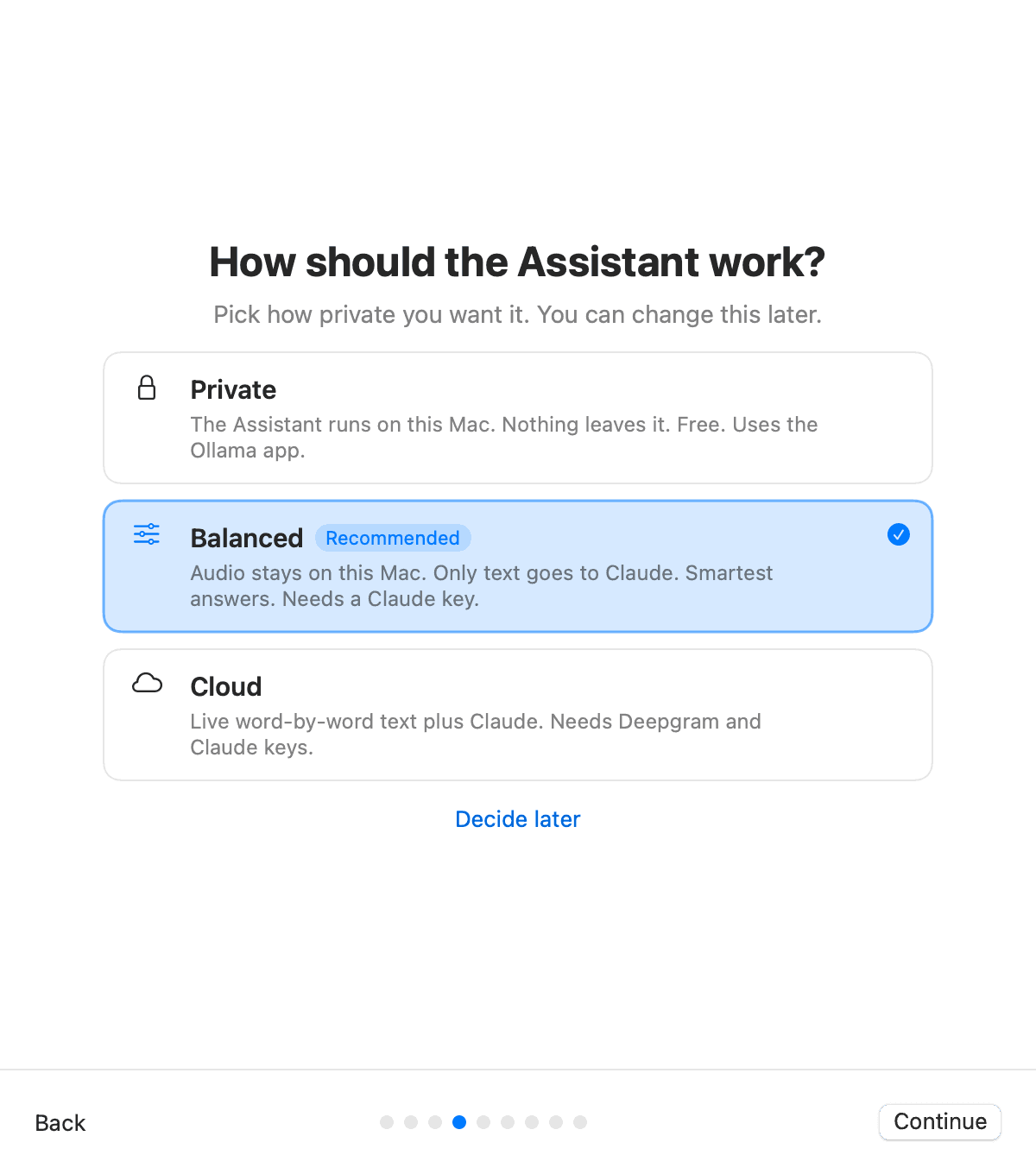
1Download and choose how private
One signed DMG. Pick Private, Balanced or Cloud on first launch, from fully on your Mac to Claude and Deepgram in the cloud.
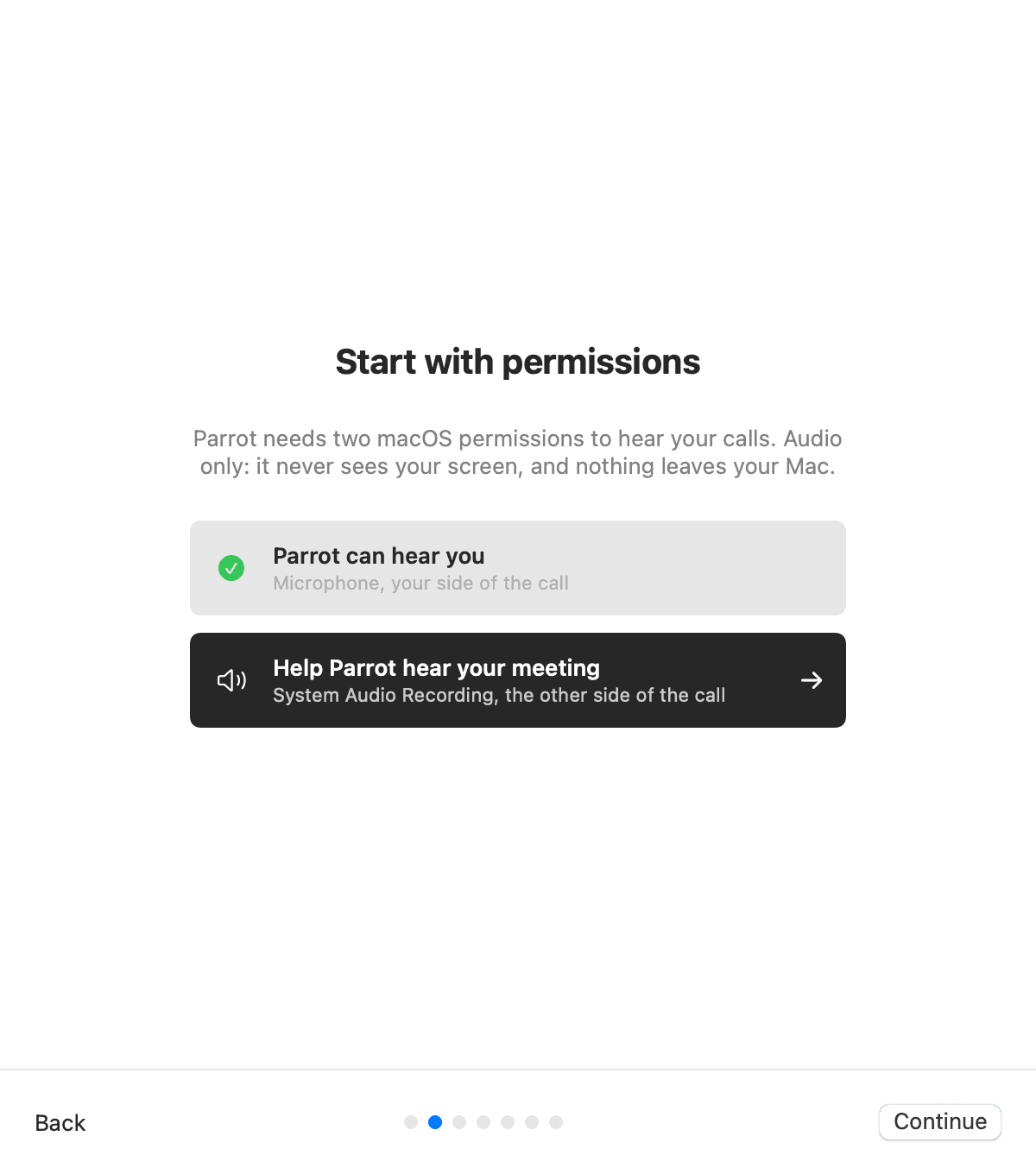
2Allow two permissions
System audio for the other side, microphone for yours. The welcome tour deep-links to the exact settings panes.
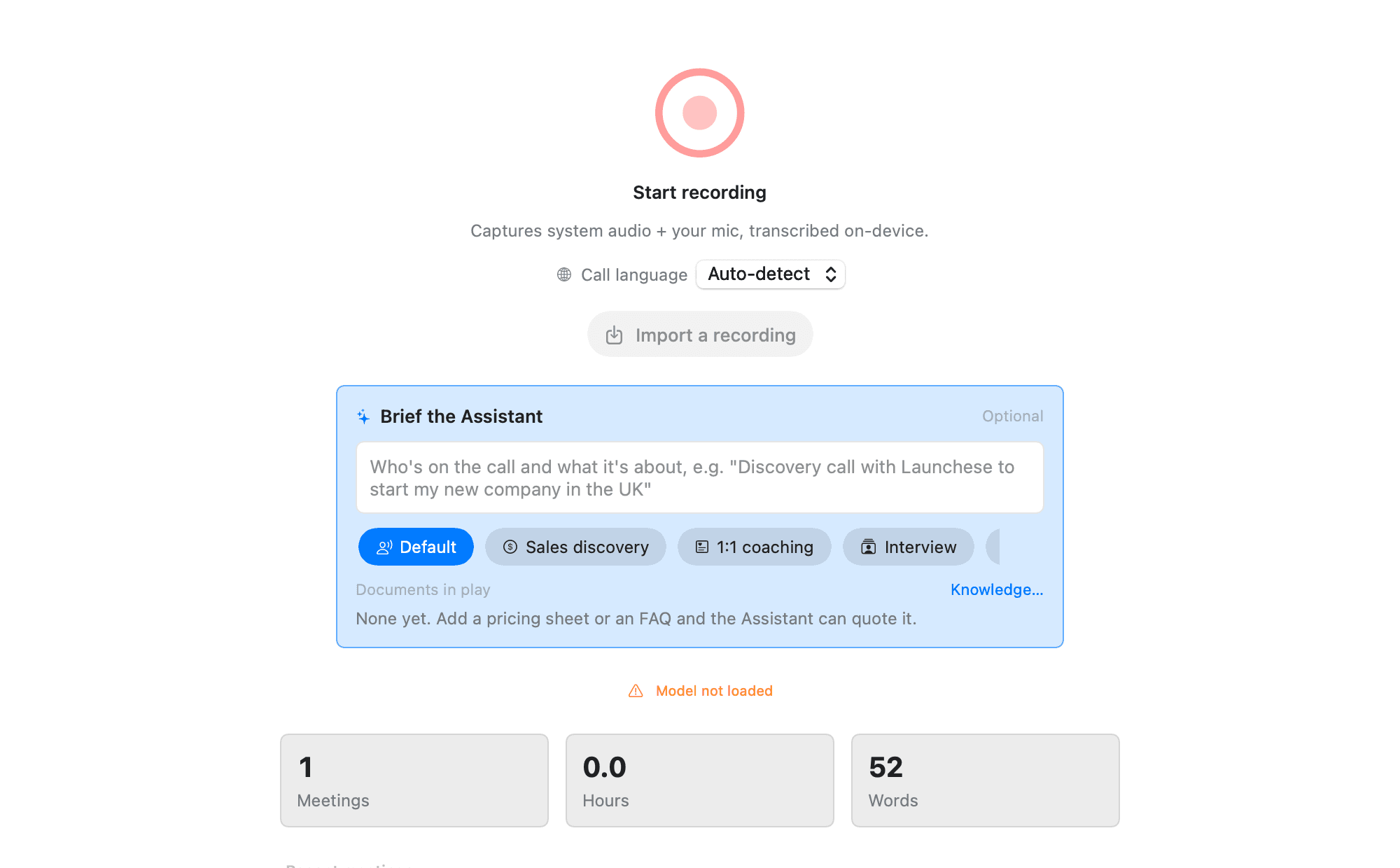
3Take your next call
Start Google Meet, Zoom or Teams and Parrot asks to record. Or hit record yourself. The copilot opens next to the live transcript.
From Uygar
Hi, I'm Uygar.
Parrot started as a tool for me and got a little out of hand, in the best way.
I run my businesses on calls: clients, partners, the odd supplier who swears the invoice is in the post. I tried the call recorders and meeting assistants. Each one was missing the feature I needed, hid it behind a plan I didn't want, or sent my client calls on a trip through someone else's cloud. So one evening I stopped waiting and started building.
It's been on every client call of mine since. It remembers what I promised, catches the questions I dodged, and keeps every word on my Mac. It felt too useful to keep to myself, so here it is, free and open source.
This is my first open source project, built with Claude as my coding buddy, mostly late at night. There will be rough edges. Tell me about them: open an issue, send a fix, or just tell me I'm doing it wrong. All three make Parrot better.
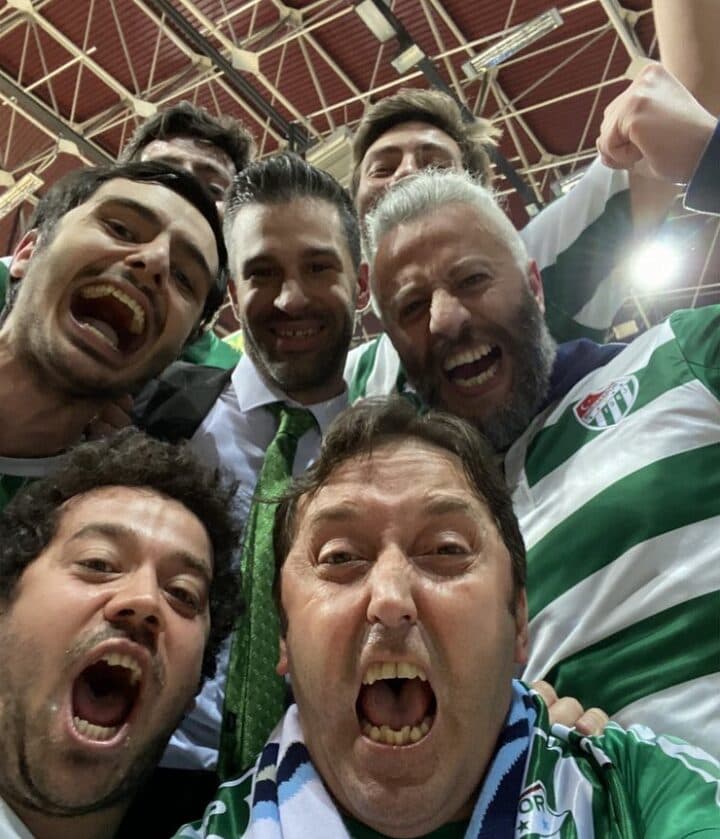
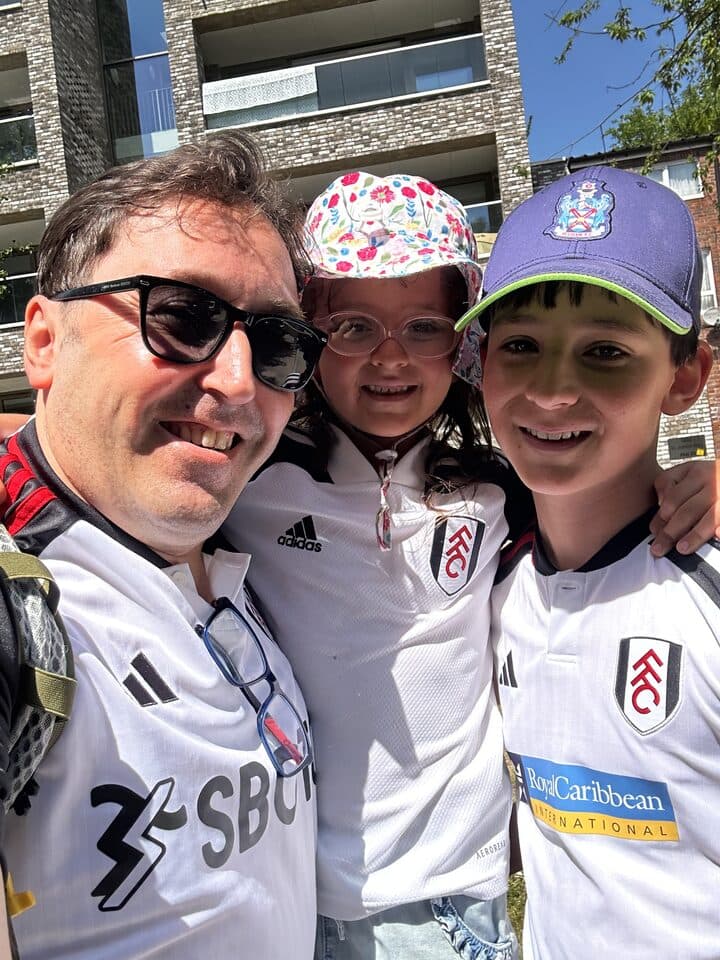
When I'm not on a call, I'm with family or shouting at a football match. Two teams, so double the heartbreak. Evidence on the left. Parrot doesn't record those, promise.
Uygar
It's free and stays free. If it saves your day once in a while, you can buy me a coffee. No pressure, the parrot eats seeds anyway.